How to update an organisation’s email domain
Public sector organisations may merge, split or change their names following machinery‑of‑government changes or local restructures.
The Super Admin Portal is used to keep organisation records aligned with these changes while preserving history.
- Within the admin portal, select ‘Allow list’
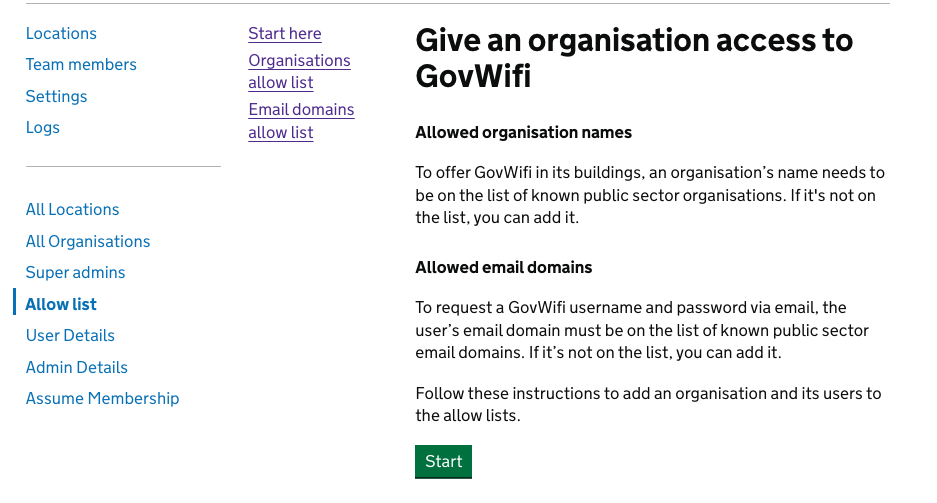
- Select ‘Email domains allow list’
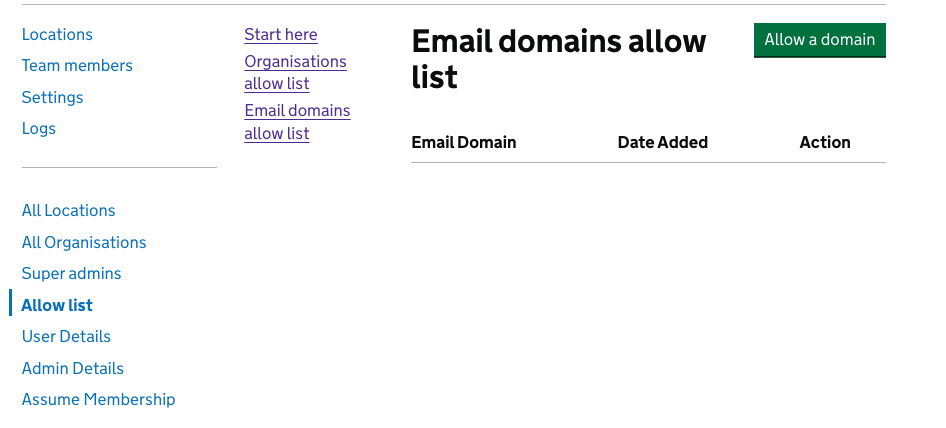
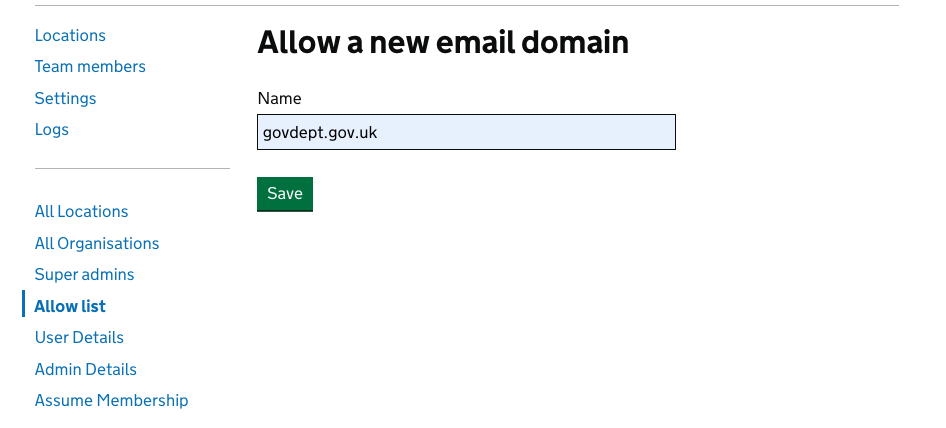
- Enter the new email domain, then click save.
- A banner will confirm the email domain has been added successfully.
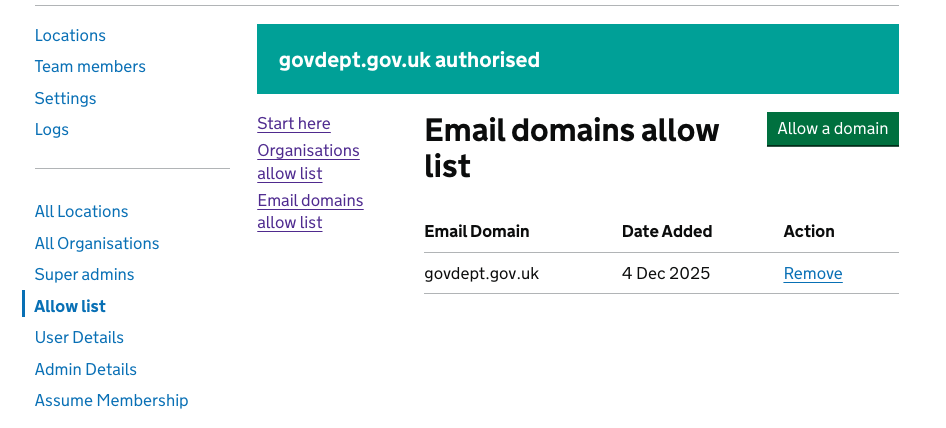
If the old domain should no longer work, follow internal policy to remove it or leave it in place for a transition period.
Handling mergers and splits
- For a merger, decide whether to reuse one existing organisation record or create a new one and migrate sites and domains.
- For splits, create new organisation records as needed, and move or add email domains and sites carefully to avoid duplicate or conflicting entries.
- Avoid deleting historical organisations unless your internal policy explicitly permits this and you understand the impact on reporting and logs.